Send responses to Google Chat
Post every submission into a Google Chat space with an incoming webhook.
1. Create the webhook in Google Chat
- Open Google Chat and open the space you want messages in (or create one).
- Click the space name at the top, then Apps & integrations.
- Under Webhooks, click Add webhooks.
- Give it a name such as Form Alerts and click Save.
- Copy the webhook URL. It starts with
https://chat.googleapis.com/v1/spaces/.
Incoming webhooks are available on Google Workspace accounts. Personal Gmail accounts can’t create them.
2. Add the channel to a rule
- In the add-on, edit a rule (or create one) and tick Send a chat message.
- Choose Google Chat as the channel and paste the URL.
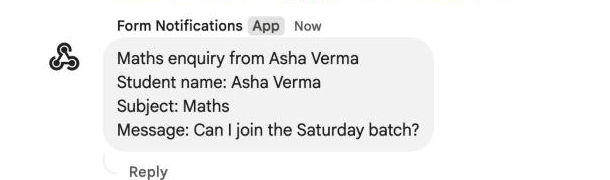
- Write the message. Placeholders work here too, for example:
New enquiry from {{Student name}}
{{All Answers}}- Click Save rule, then Send test. The message appears in the space within a few seconds.
Keep the URL private
Anyone with the webhook URL can post into your space. Don’t share it, and if it leaks, delete the webhook in Google Chat and create a new one.