Paste lesson notes, an article or just a topic. Get multiple-choice questions with the answer key and explanations, review them, and add them to your Google Form as a graded quiz in one click.
Open the add-on in your form. Type a topic, paste text (up to 12,000 characters), or give a web address. Pick how many questions, the difficulty and the language.
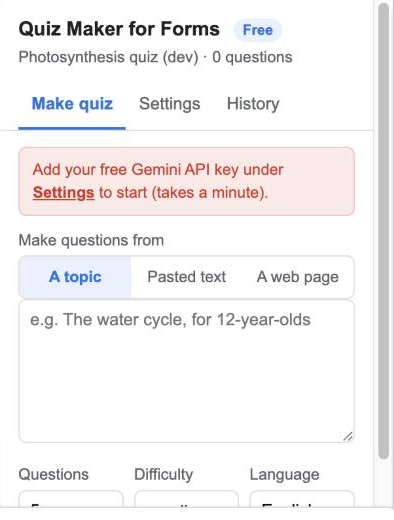
Each question appears with options A to D, the correct answer highlighted and a one-line explanation. Untick anything you don't like.
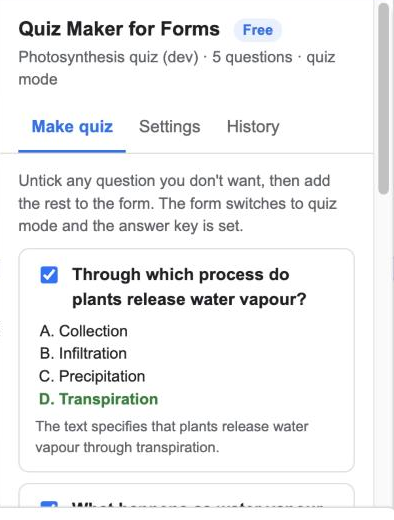
The questions are added as graded multiple-choice items, the form switches to quiz mode, points and the answer key are set, and the explanation becomes the feedback.
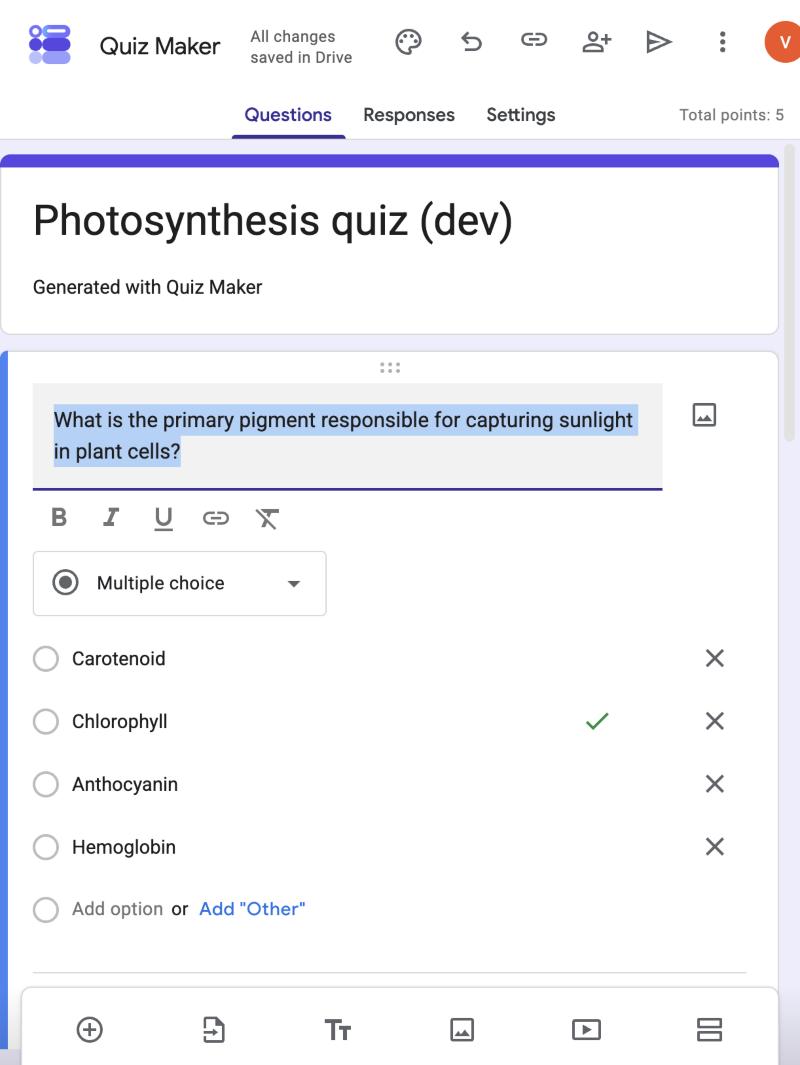
Edit anything in Google Forms as you normally would, then send the form. Results and grading work exactly like a hand-made quiz.
A topic for general knowledge, pasted text so questions come only from your material, or a web page the add-on reads for you. Learn more

The correct option is marked, every question is worth a point, and students see an explanation after submitting. Learn more

Nothing lands in the form until you've reviewed it. Untick, regenerate, or edit in Google Forms afterwards. Learn more

Ask for questions in Hindi, Spanish, French or any language Gemini writes; the source can be in a different language from the quiz. Learn more

Your text goes from your Google account to Google's Gemini and the questions come back the same way; nothing is stored with us. Power users can plug in their own Gemini key for unlimited free quizzes. Learn more

It can edit the form it is open in and talk to Gemini. It cannot see your other forms, Drive or Gmail. Learn more

Start free. Upgrade when you need more.
After you pay, Dodo Payments emails you a licence key. Open the add-on, click Enter licence key in the footer, paste it, done. One key covers every form you own.
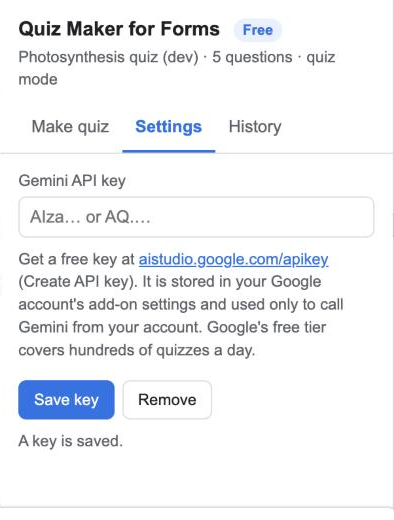
No. The add-on works as soon as it is installed. If you want unlimited free quizzes, you can add your own Gemini API key under Settings; Google gives every account one with a generous free tier.
Not yet. Copy the text out of the PDF or the transcript and paste it. PDF and YouTube sources are planned.
With pasted text, the add-on tells Gemini to use only that text. With a topic, it relies on Gemini's general knowledge; review before adding, as you would with any AI.
Yes. Once added they are ordinary Google Forms questions; change wording, options, points or feedback as usual.
Yes. New questions are appended to whatever is already in the form.
Yes, any time. The licence stays active until the end of the year you paid for.
We ask for the smallest set Google allows. Full details in the privacy policy.
| Permission | Why it is needed |
|---|---|
forms.currentonly | Add questions to the form the add-on is open in and switch it to quiz mode. No other form. |
script.external_request | Send your topic or text to Google's Gemini API (generativelanguage.googleapis.com) and read a web page when you give a URL. Nothing else is contacted. |
script.container.ui | Show the sidebar inside Google Forms. |
userinfo.email | Know which Google account installed the add-on, for the licence and the monthly count. |
Teachers turn a chapter into a Friday quiz. Trainers build knowledge checks from their slides. HR teams make compliance quizzes from a policy document. Course creators produce end-of-module tests in minutes.