Type a topic or paste your notes. Get a title slide, content slides with bullets and speaker notes, built straight into your presentation with its own theme. Edit from there.
Open the add-on in any Google Slides file. Type a topic ("Quarterly review for the sales team") or paste your notes, choose the number of slides, language, audience and tone.
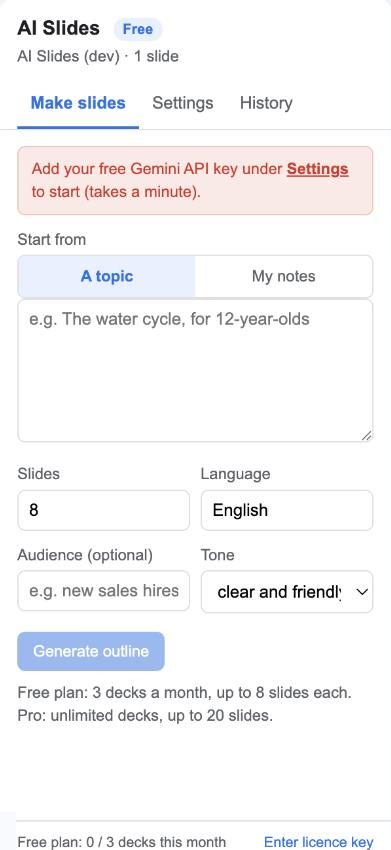
Gemini returns a title, a subtitle and one card per slide with its bullets. Nothing has touched your deck yet; go back and change the brief if you like.

The slides are built with your deck's own layouts, so they match its theme. Speaker notes are filled in. Optionally replace what was there and add a closing slide.
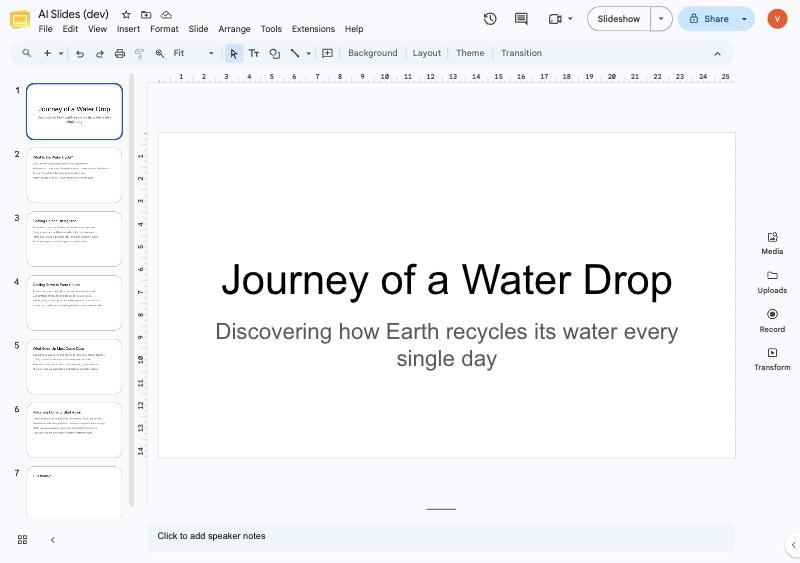
They are ordinary slides. Move them, restyle them, add images, present or export to PowerPoint and PDF from Google Slides.

From a one-line topic for a first draft, or from pasted notes when the content is already yours and only needs structure. Learn more

The add-on uses the title and title-and-body layouts of the presentation you have open. Change the theme afterwards and everything follows. Learn more

Every slide gets two or three sentences of notes, so you can present from it immediately. Learn more

The outline appears in the sidebar first. Regenerate or edit the brief until it is right, then build. Learn more

Calls go from your Google account to Google's Gemini with a key you create in a minute. Your notes never pass through our servers. Learn more

The add-on can edit the presentation it is open in and talk to Gemini. It cannot see your other files. Learn more

Start free. Upgrade when you need more.
Gemini's free tier from Google covers dozens of decks a day at no cost; you create the key once.
Not in this version. It writes the content into your existing theme's layouts; you add images and visuals in Google Slides. Image suggestions are on the roadmap.
Not yet. Paste the text or your notes. PDF and web-page sources are planned.
Only if you tick "Replace the existing slides". By default new slides are appended after the ones you have.
About 30 seconds for the outline, then a few seconds to build the slides.
Any language Gemini writes. Type the language name in the Language box.
Yes, any time. The licence stays active until the end of the year you paid for.
We ask for the smallest set Google allows. Full details in the privacy policy.
| Permission | Why it is needed |
|---|---|
presentations.currentonly | Add slides, text and speaker notes to the presentation the add-on is open in. No other presentation or file. |
script.external_request | Send your topic or notes to Google's Gemini API (generativelanguage.googleapis.com). Nothing else is contacted. |
script.container.ui | Show the sidebar inside Google Slides. |
userinfo.email | Know which Google account installed the add-on, for the licence and the monthly count. |
Teachers draft a lesson deck from a topic. Managers turn meeting notes into an update for the team. Students structure a report presentation. Founders get a skeleton pitch to react to instead of a blank slide.