Schedules and time zones
Hourly, daily, weekly and monthly schedules, and how the timing works.
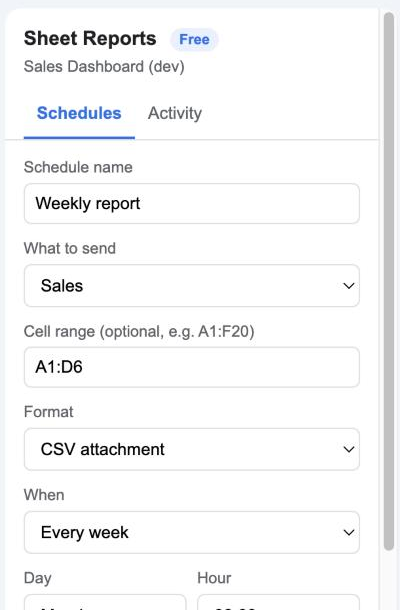
Frequencies
| Frequency | Settings | Example |
|---|---|---|
| Every hour | none | A stock table to the warehouse every hour |
| Every day | hour | Yesterday’s orders at 08:00 |
| Every week | weekday and hour | The pipeline every Monday at 09:00 |
| Every month | day of month and hour | Expenses on the 1st at 07:00 |
If you choose the 29th, 30th or 31st and the month is shorter, the report goes out on the last day of that month.
When it actually arrives
The add-on checks once an hour whether anything is due. A schedule set for 09:00 is sent on the first check at or after 09:00, so it arrives between 09:00 and 10:00. The sidebar reminds you of this under the hour picker, and each schedule card shows its Next run time.
Time zone
Times use the spreadsheet’s time zone, not your computer’s. It’s shown in the sidebar and in the Activity tab. New spreadsheets often default to US Pacific time; to change it, open File → Settings → General → Time zone in Google Sheets, then save your schedule again.
Pausing and stopping
- The toggle on each card pauses just that schedule. The card then shows Next: Paused.
- Stop all schedules pauses every schedule and removes the hourly timer. Nothing sends until you switch a schedule back on.
- Deleting the last schedule also removes the timer.
Several schedules
Each schedule has its own tab, range, format, recipients and timing. To send different tabs to different people, create one schedule per tab. The free plan includes one schedule per spreadsheet; Pro is unlimited.