Install and make your first GIF
From a presentation to a GIF in your Drive in under two minutes.
1. Install and open the add-on
Install from the Google Workspace Marketplace, open any presentation and choose Extensions → Deck to GIF → Open. The first time, Google asks you to allow the permissions listed on the privacy policy.
2. Choose the options
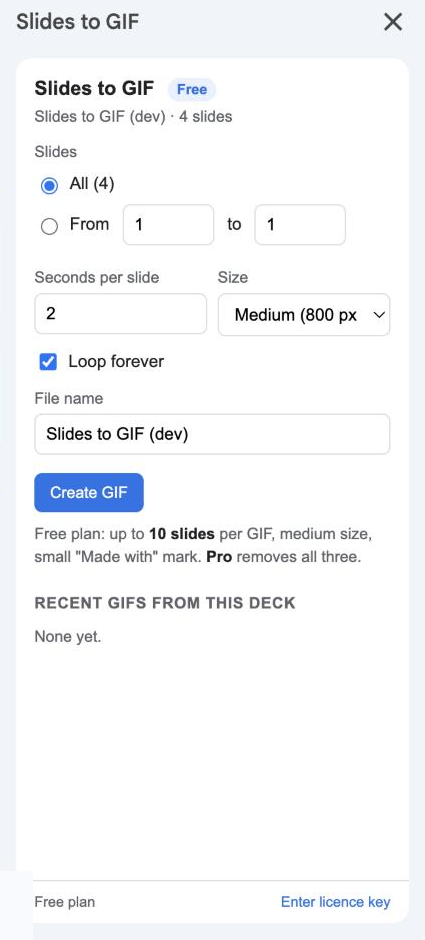
- Slides: all of them, or a range such as 3 to 7.
- Seconds per slide: how long each frame stays on screen. 2 seconds suits text; 0.5 makes a quick flipbook.
- Size: Medium (800 px wide) or Large (1600 px, Pro).
- Loop forever: untick to play once.
- File name: defaults to the presentation’s name.
See options for details.
3. Create the GIF
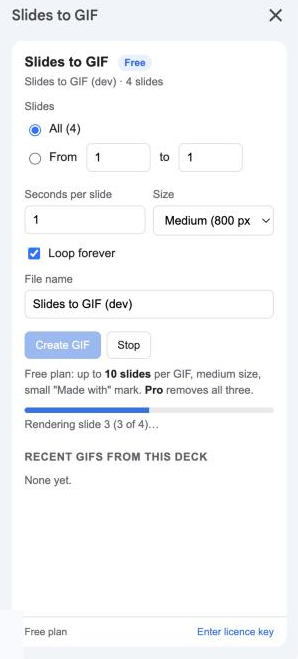
Click Create GIF. The sidebar renders each slide and adds it to the animation, with a progress bar. Click Stop to abandon.
4. Check the preview
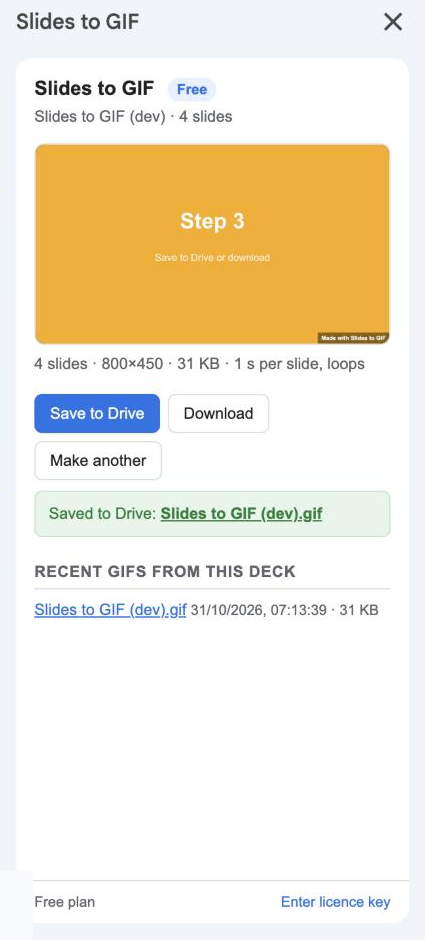
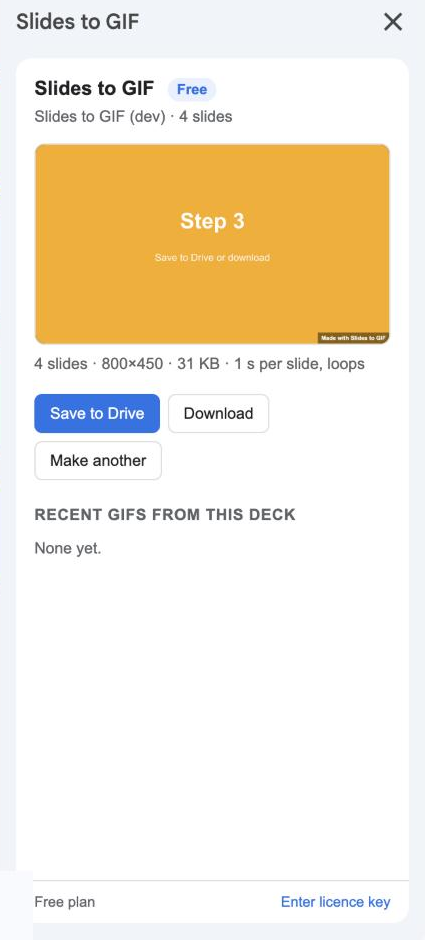
The GIF plays in the sidebar with its dimensions and file size. If the timing is off, click Make another and change the seconds per slide.
5. Save or download
- Save to Drive puts it in a folder called Deck to GIF in My Drive and shows the link. Recent GIFs from this deck are listed under the buttons.
- Download saves it to your computer.